Dither
I'm not a great artist, so I cheat my way around it to get my game to pop.
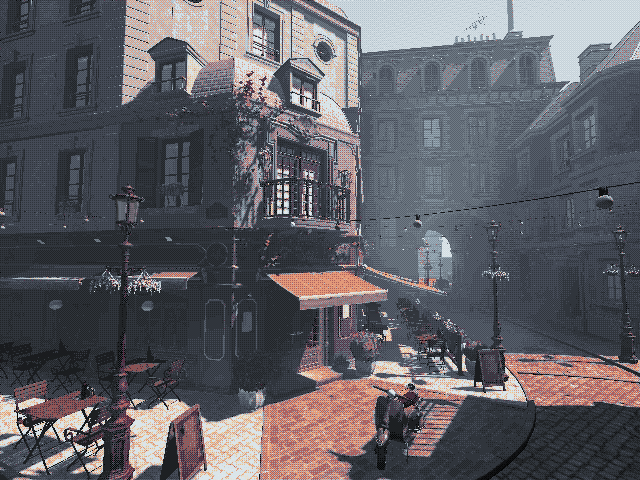
Drag the handle to see the effect.
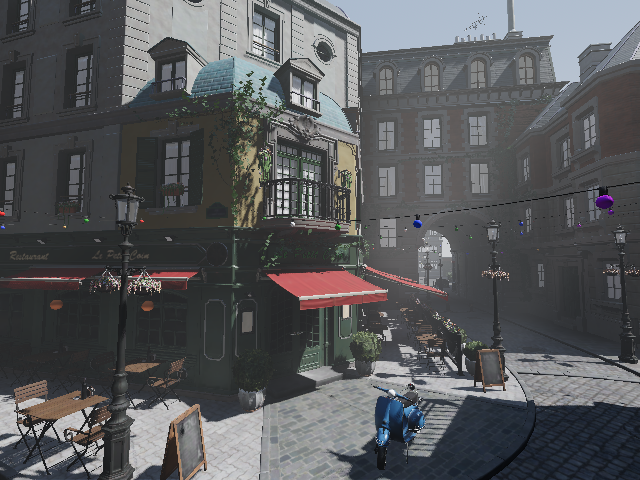
 no dither
dither
no dither
dither

Dither palette effect
The effect is simple in nature. Instead of showing the normal rendered output of the pixels on screen, I replace and limit them to an authored palette. That way, a boring looking scene is forced to look good.
Here's how it works:
Every pixel the renderer produces is replaced by the nearest colour in a ramp. Nearest by weighted HSL distance:
$$d = 0.25\,d_h + 0.25\,|\Delta s| + 0.75\,|\Delta l|, \qquad d_h = \min(|\Delta h|,\ 1 - |\Delta h|)$$
Lightness counts for three times what hue and saturation do. Here is what that means in practice:
Pixels from dark to light fan out across the whole ramp, so shading survives. The second row is the effect of hues. Those eight pixels are all about equally bright but span the entire hue wheel — brown, olive, green, teal, navy, blue, purple, maroon, and collapse onto two colours.
That is why a palette with no blue in it still renders a blue room as a correctly shaded room. But a texture with varying colors, e.g. a rusted metal with stripped paint, still retains the texture's hue differences.
Noise
Just replacing the colors like this is not enough. A smooth gradient crossing a palette boundary becomes a hard band, and a scene full of gradients becomes a scene full of bands.
So before anything is snapped, the frame is salted with a tiling noise texture:
$$c' = c\,\big[(1-k) + k\,n(x \bmod N)\big]$$
where $n$ is the noise texel under this pixel and $k$ is the salt strength.
Turn $k$ up and down yourself. The top strip is the salt itself on the left and a smooth ramp put through it on the right; the frame below is the same settings in the game:
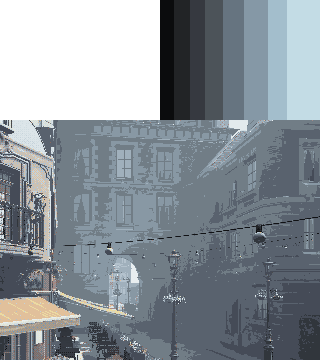
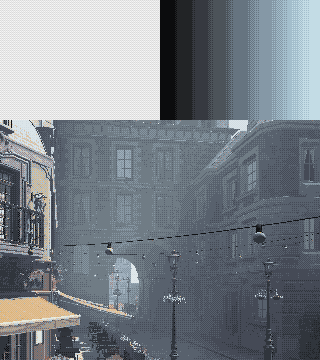
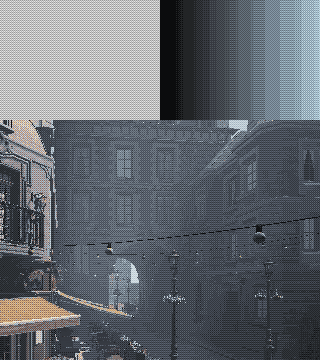
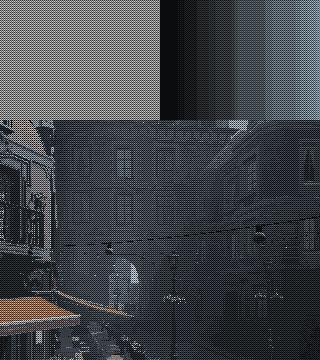
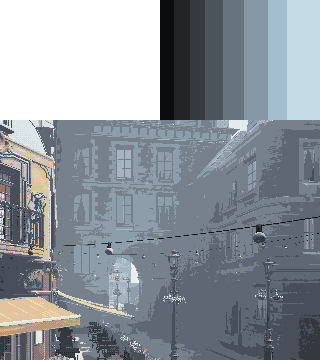
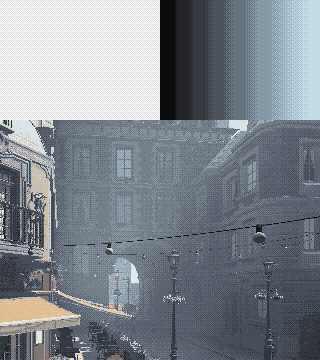
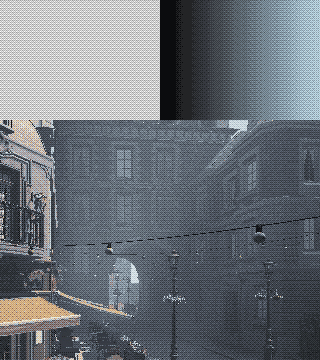
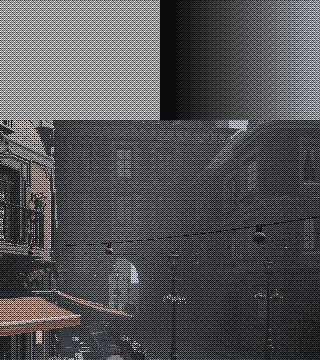
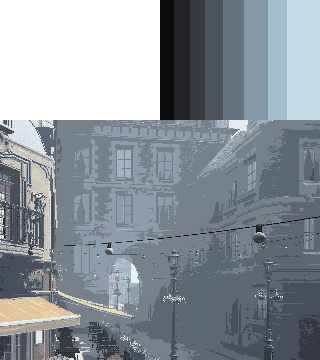
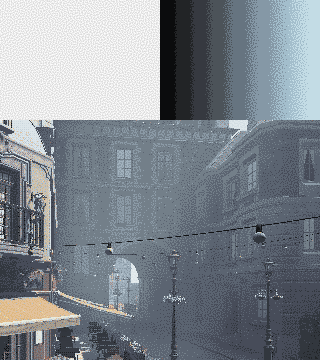
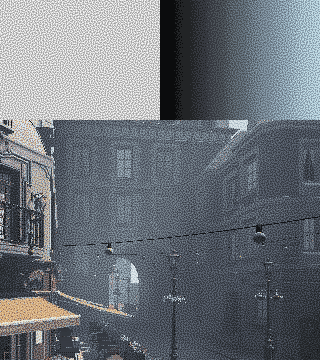
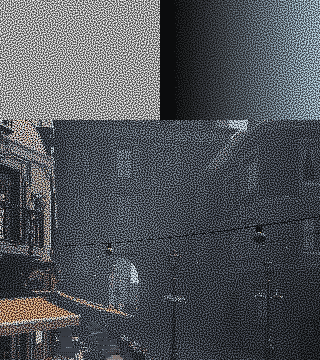
A pixel sitting just below a boundary gets nudged across it some of the time, and the eye reads the speckle as a shade the palette does not contain. The default is an 2×2 Bayer matrix, which is why it looks like a printed halftone.
Multiple palettes
A scene is not one palette. A layer marks a set of nodes in the scene. Every material under it is patched into a stencil-writing duplicate, and the layer puts up its own fullscreen quad that snaps exactly the pixels carrying its stencil reference. Pixels no layer claims belong to the scene's root.
So the scooter can be on its own palette while the street it is parked on keeps the scene's. On the left, the scooter with three different palettes, on the right, the debug view of who owns what:
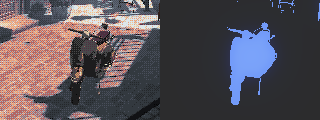
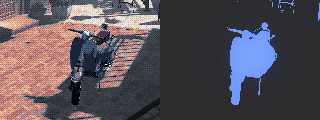
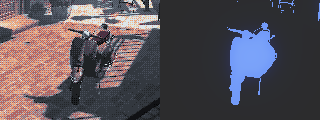
This is what makes the effect legible. An object separates from its background because it is literally on a different palette, not because the art happened to contrast enough. This allows us to paint the background, the enemies and interactable items, and whatever else we want to highlight in it's own unique palette.
Light that leaks its own palette
The last feature is a spill: a source that pushes its palette onto whatever it lights.
The Bistro's sun is one of these. It leaks its own palette into everything it lights, at a strength the light's own energy drives:
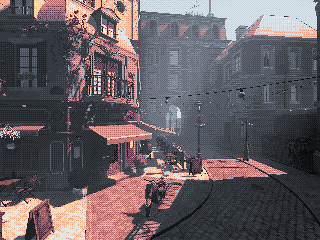
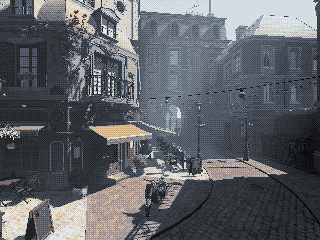
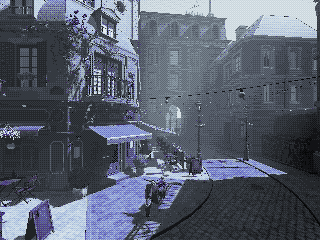
When several sources reach the same pixel the pick stops being obvious. So we allow the light to weight its contribution on the scene. On the left, the source's weight is drawn: a smooth field, brightest where the sun reaches hardest. On the right, the palette each pixel actually took, where it crosses a threshold of enough contribution to spill the palette:
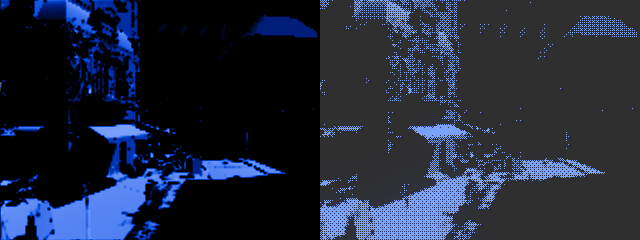
That is the whole trick in two pictures. The weight is continuous and the outcome is binary, and the stipple in the right-hand panel is the gradient.
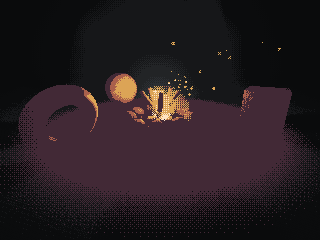
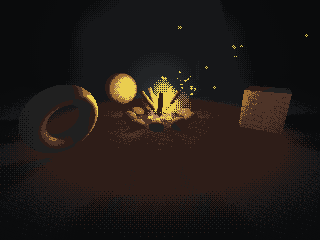
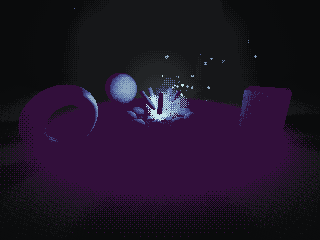
Particles come along for free, because they are just more geometry inside the volume:

Reflection
The look does not cost authorability, it moves it. A lot of the work that went into a texture is thrown away by the snap — most of it lands on the same handful of colours anyway. What is left is the compositing, and that part got much easier: palettes, layers, spill. The editor renders through the same shader, so a scene is lit and dressed in the colours it ships in and the palette is never a filter bolted on at the end. For someone who is not an artist, that trade is worth taking. It is quicker to get to something that looks nice and reads clearly.
Bought assets stop fighting each other. Slight differences in style disappear when everything ends up in the same few dozen colours. A PSX-era model and a modern high-res one snap to the same ramp and the seam between them mostly goes away, so a store-bought scene can still hold one coherent art style.
And the dark can be genuinely dark. Pitch black is a colour in the palette, not a very low number that a gamma slider can rescue. Turning the brightness up does not reveal what is meant to stay hidden, because there is nothing in those pixels to reveal. For horror that stops being a rendering detail and becomes a gameplay one.
loading…
loading…